


IQOS ILUMA Battery Life: Charging Tips to Keep Your Device in Good Condition

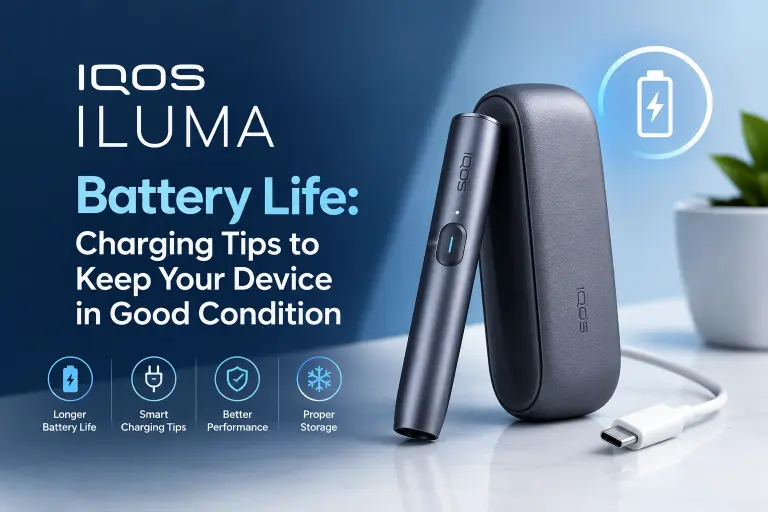
The battery is an important part of your IQOS ILUMA experience. Whether you use an IQOS ILUMA ONE, ILUMA PRIME, ILUMA, or an ILUMA i model, understanding how to charge and maintain your device can help you get consistent performance throughout the day.
Although battery life varies by model, usage habits, battery condition, and environmental temperature, a few simple practices can help you avoid unnecessary battery drain and keep your device in good working condition.
In this guide, we explain how IQOS ILUMA battery life works, how to charge your device correctly, and what to do when you notice charging or battery-related problems.
How Long Does an IQOS ILUMA Battery Last?
IQOS ILUMA devices use rechargeable batteries, but the number of uses you get from one charge depends on the model you own.
Some models feature an integrated holder and battery, while others use a separate holder and pocket charger. These differences affect how often you need to recharge the device.
Here are the main factors that influence IQOS ILUMA battery life:
- Device model: Battery capacity and usage limits differ between ILUMA models.
- Usage frequency: More frequent use means you will need to recharge sooner.
- Battery age: Rechargeable batteries gradually lose capacity over time.
- Temperature: Very hot or cold conditions can affect battery performance.
- Charging habits: Using compatible charging equipment and following the manufacturer’s instructions helps maintain battery health.
For the most accurate information about your device’s battery capacity, charging time, and number of uses per charge, check the official instructions for your specific IQOS ILUMA model.
7 IQOS ILUMA Charging Tips to Help Your Battery Last Longer
1. Use a Compatible Charger and Cable
One of the simplest ways to care for your IQOS ILUMA battery is to use a compatible power adapter and charging cable.
Follow the charging specifications provided by the manufacturer. Avoid damaged cables, loose connectors, and low-quality charging accessories that may cause unreliable charging.
If your device becomes unusually hot while charging, disconnect it safely and allow it to cool. Do not continue charging a device that appears damaged or behaves abnormally.
2. Avoid Extreme Temperatures
Temperature can affect the performance of rechargeable lithium-ion batteries.
Try to keep your IQOS ILUMA away from direct sunlight, hot cars, heaters, and other sources of excessive heat. Very cold environments can also affect battery performance.
For better results:
- Store your device in a cool, dry place.
- Avoid leaving it on a sunny windowsill or inside a parked car.
- Allow a hot or cold device to return to the temperature range specified in its user guide before charging or using it.
Proper storage helps protect the battery and other electronic components.
3. Charge Your Device According to Its Instructions
Different IQOS ILUMA models have different charging requirements. Some have a built-in battery, while others have a holder that charges inside a separate pocket charger.
Follow the charging instructions for your particular model rather than relying on advice intended for another device.
Do not force the charging connector, use incompatible accessories, or ignore warning lights. If your model has specific charging indicators, learn what each indicator means by consulting its official user guide.
4. Keep the Charging Port Clean and Dry
Dust, lint, and moisture around the charging port can interfere with a reliable connection.
Check the charging port occasionally for visible debris. Keep it dry and follow the manufacturer’s cleaning instructions. Avoid inserting metal objects, sharp tools, or liquids into the port.
If the cable does not connect securely or charging repeatedly stops, inspect the cable and adapter as well. A damaged accessory can cause problems that appear to be battery-related.
5. Do Not Ignore Unusual Battery Behaviour
Over time, rechargeable batteries naturally lose some of their original capacity. However, a sudden change in battery performance may indicate a charging issue or a problem with the device.
Pay attention if your IQOS ILUMA:
- Runs out of charge much faster than usual.
- Takes significantly longer to charge.
- Frequently stops charging.
- Shows unexpected indicator lights.
- Becomes unusually hot during charging or normal operation.
Try a compatible cable and adapter if appropriate, and follow the troubleshooting instructions for your model. If the problem continues, contact official IQOS support or an authorised service provider.
If the battery appears swollen, the device is damaged, or it becomes dangerously hot, stop using and charging it.
6. Store Your IQOS ILUMA Properly When Not in Use
If you will not use your device for an extended period, store it in a clean, dry place away from extreme temperatures and moisture.
Follow the manufacturer’s recommendations for the battery’s charge level during long-term storage. Avoid leaving the device completely discharged for extended periods unless the model’s instructions specify otherwise.
Proper storage can help reduce unnecessary battery stress and protect the device from environmental damage.
7. Keep Your Device Updated With Manufacturer Guidance
Some battery or charging issues may be related to the device itself rather than your charging habits.
Check the official IQOS website or support resources for instructions specific to your model. If troubleshooting steps do not resolve the issue, professional assistance is preferable to attempting an internal battery repair.
Do not open the device or try to replace an internal battery yourself unless the manufacturer specifically provides an approved procedure.
How to Charge IQOS ILUMA Correctly
Although the exact process varies by model, these general steps can help you charge your device safely.
- Check that the device, cable, and charging adapter are compatible.
- Make sure the charging port and connectors are clean and dry.
- Connect the device according to the manufacturer’s instructions.
- Check the indicator lights or charging status to confirm that charging has started.
- Allow the device to charge as directed in its user guide.
- Disconnect it if you notice unusual heat, damage, or abnormal charging behaviour.
Avoid relying on a universal charging time because different IQOS ILUMA models have different battery capacities and charging requirements.
Why Is My IQOS ILUMA Battery Draining Quickly?
If your device does not seem to hold a charge, several factors could be responsible.
Frequent use: Repeated use throughout the day naturally means more frequent charging.
Battery ageing: Rechargeable batteries gradually lose capacity after repeated charging and discharging cycles.
Temperature changes: Extreme heat or cold can affect battery performance.
Charging accessories: A damaged cable, incompatible adapter, or poor connection can prevent the device from charging properly.
Device malfunction: Persistent charging problems may indicate an internal fault.
To identify the cause, try a compatible charging accessory, check the device’s indicator lights, and follow the official troubleshooting steps for your model. If the battery still drains unusually quickly, contact IQOS support.
Does Charging Overnight Damage an IQOS ILUMA Battery?
It is best to follow the charging instructions supplied with your specific IQOS ILUMA model.
Modern rechargeable devices may include charging-management and safety features, but this does not mean every charging situation is risk-free. Avoid charging a damaged device, using an incompatible adapter, or leaving the device on soft surfaces that can trap heat.
For safety, charge your device in a dry, well-ventilated location and follow the manufacturer’s recommendations.
Can You Use IQOS ILUMA While It Is Charging?
This depends on the model and its operating design. Some devices have separate holders and pocket chargers, while others have an integrated design.
Do not assume that every IQOS ILUMA model supports operation while charging. Check the user guide for your specific device and avoid using it in a way that conflicts with the manufacturer’s instructions.
IQOS ILUMA Battery Care: Quick Checklist
Use this checklist to build better charging and storage habits:
- Use compatible charging accessories.
- Keep the charging port clean and dry.
- Avoid extreme temperatures.
- Follow the correct charging instructions for your model.
- Store the device away from moisture and direct sunlight.
- Pay attention to unusual heat or charging behaviour.
- Seek professional support for persistent battery problems.
Frequently Asked Questions
How long does an IQOS ILUMA battery last?
Battery life depends on the model, frequency of use, battery age, and environmental conditions. Check your model’s official specifications for its expected usage and charging details.
How can I make my IQOS ILUMA battery last longer?
Use compatible charging accessories, avoid extreme temperatures, keep the charging port clean and dry, and follow the manufacturer’s storage and charging recommendations.
Why does my IQOS ILUMA take a long time to charge?
Possible causes include an unsuitable adapter, a damaged cable, a poor connection, or a battery-related fault. Check your accessories and follow the troubleshooting instructions for your model.
Why does my IQOS ILUMA keep disconnecting from the charger?
A loose connection, damaged cable, debris around the port, or a device fault may be responsible. Check the connection without forcing it, and seek support if the issue continues.
Should I let my IQOS ILUMA battery drain completely before charging?
Do not deliberately drain the battery completely unless your model’s instructions require it. Follow the manufacturer’s charging recommendations instead.
Does cold weather affect IQOS ILUMA battery performance?
Yes. Cold temperatures can temporarily affect rechargeable battery performance. Keep your device within the temperature range recommended in its user guide.
When should I replace my IQOS ILUMA device?
Consider contacting official support if your device repeatedly fails to charge, its battery life declines significantly, or it shows persistent faults. If it is damaged or becomes unusually hot, stop using and charging it.
Final Thoughts
Taking care of your IQOS ILUMA battery does not require complicated maintenance. Using compatible charging accessories, avoiding extreme temperatures, keeping the charging port dry, and following the correct instructions for your model can help support reliable performance over time.
If your device begins losing charge unusually quickly or develops persistent charging problems, check the official troubleshooting guidance rather than attempting an internal repair.
Remember: Battery performance varies across IQOS ILUMA models, so always use the instructions and specifications for your particular device.